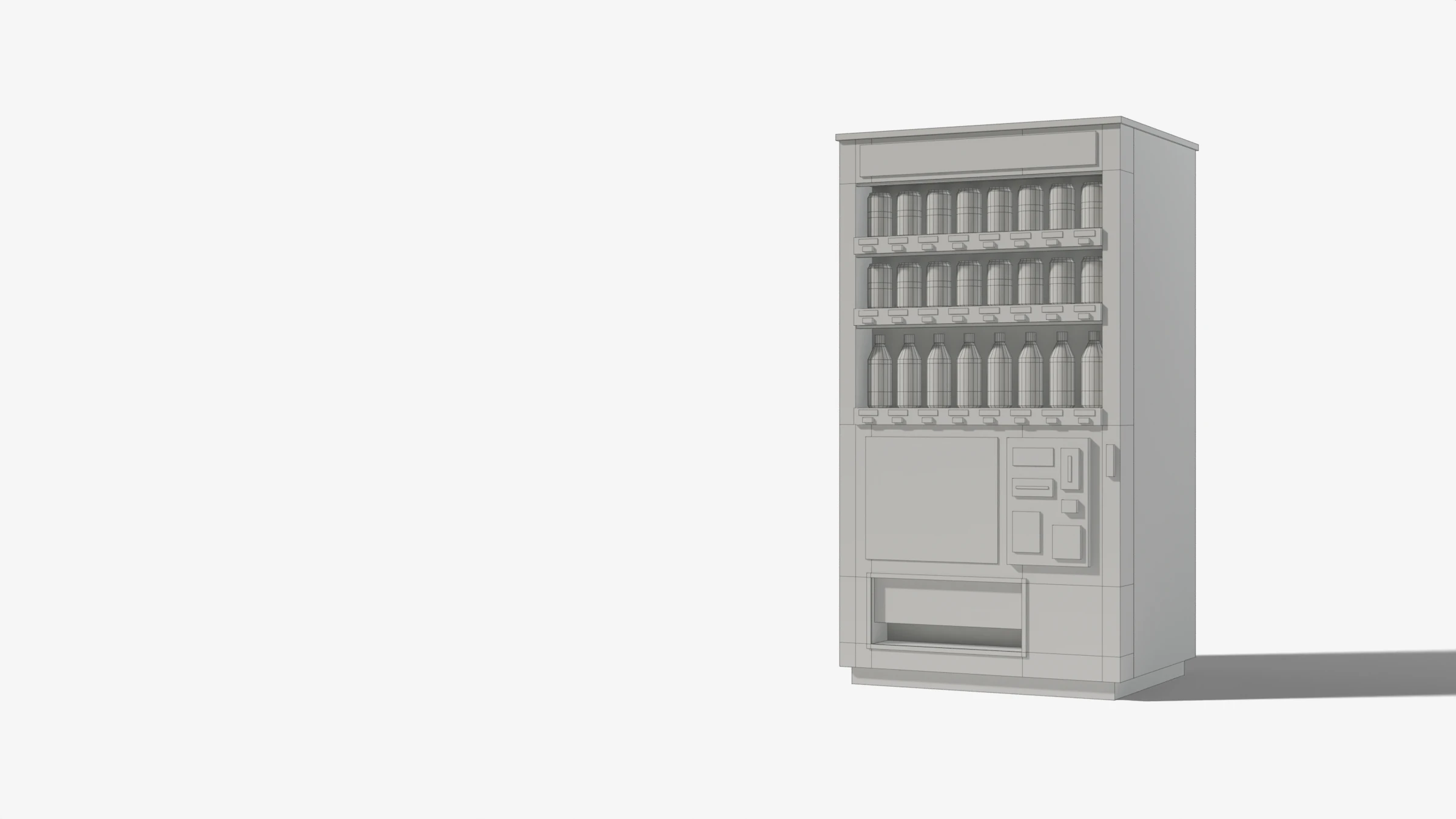
Lab · Blender add-on · In progress
Jihanki Generator

Japanese vending machines generated from scratch, from the lit sign to the labels on the cans. One mesh per machine, and a fifty-step roadmap towards an image you could mistake for a photo.
- Software
- Blender 4.2+
- Version
- 0.4.0
- Rebuild
- < 100 ms
- Roadmap
- 3 / 50
- Reading
- 11 min
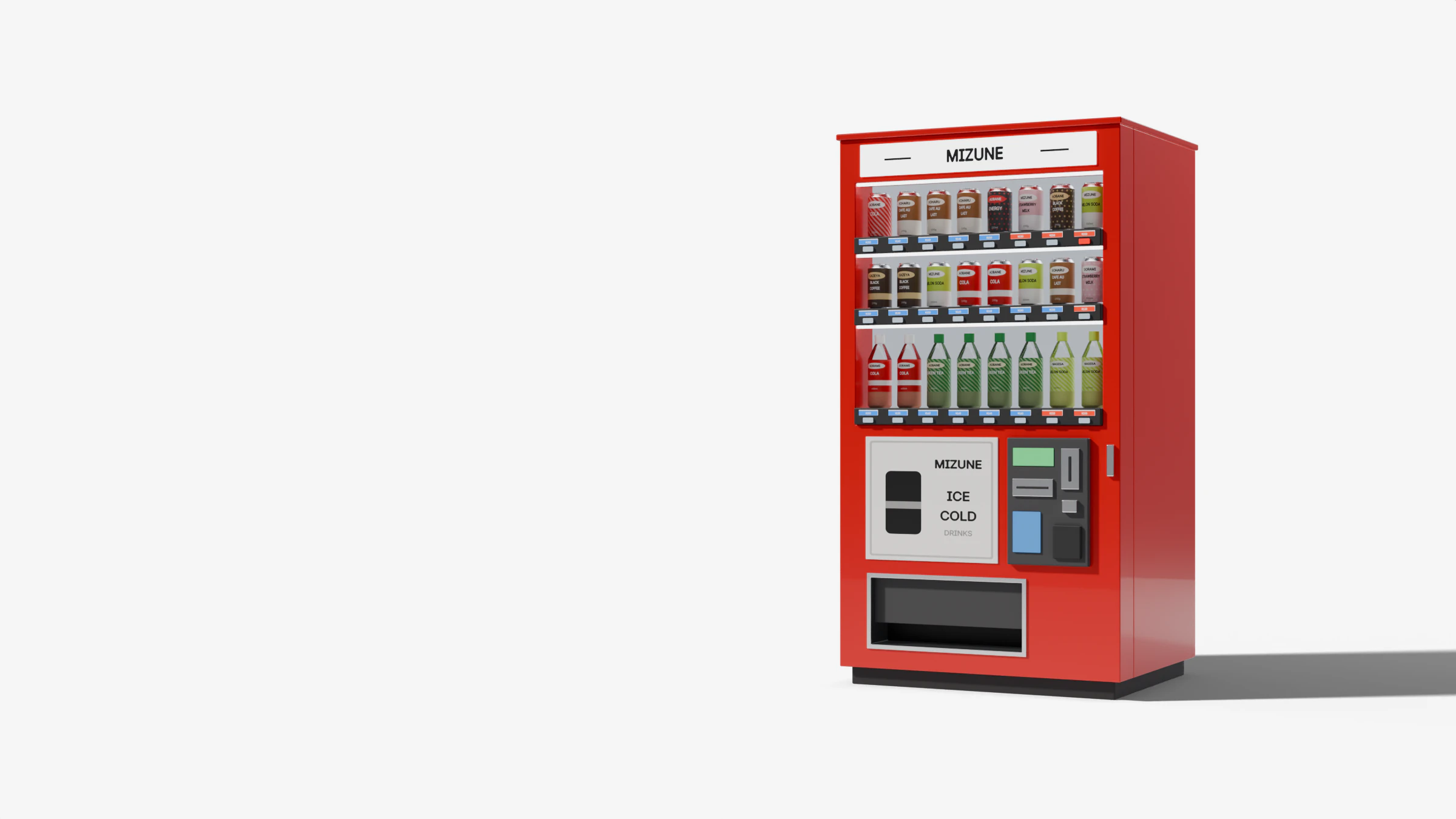
You can spot a jihanki from a distance: a painted cabinet, a lit sign, a backlit window where cans line up above their prices, blue for cold, red for hot, and buttons that light up 売切 when a drink is sold out.
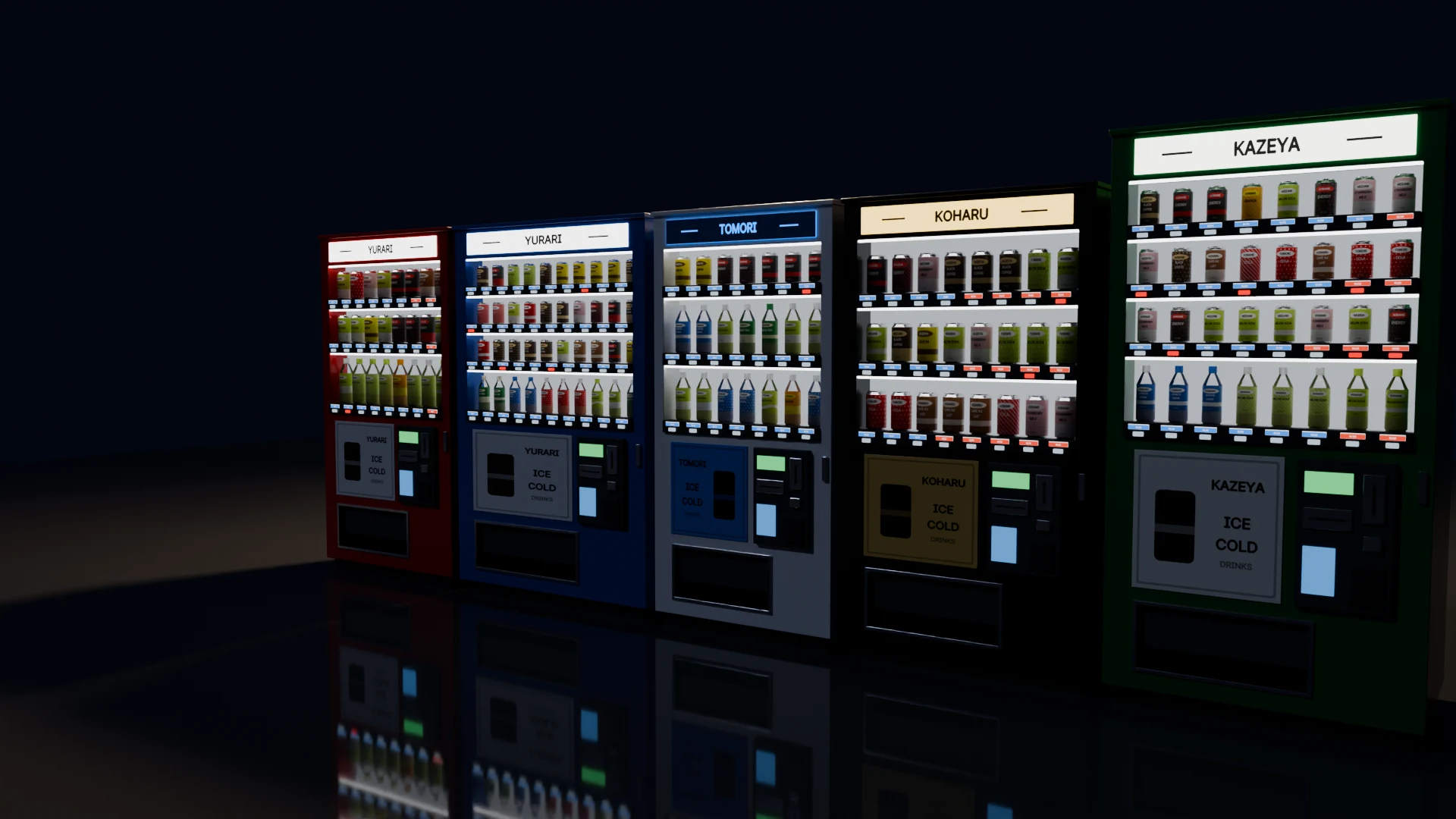
Jihanki Generator is a Blender extension that makes as many of them as you want, each one different. The goal is written in the roadmap: machines you could mistake for a photo. The project is in progress. This page follows the devlog up to v0.4.0, and the last chapter says what comes next.
Log 01 / 06
One single mesh 自販機 · Jihanki
Cabinet, sign, display window, cans, hatch, payment panel: it all comes out of the same script, in the same object.
Every vending machine is a single mesh built with bmesh: boxes for the cabinet and the details, profiles of revolution (lathe) for the cans and the PET bottles. It has everything you expect from a Japanese machine: the lit sign, the backlit display window and its rails, the dispensing hatch, the payment panel with its screen, the coin and note slots and the IC card reader.
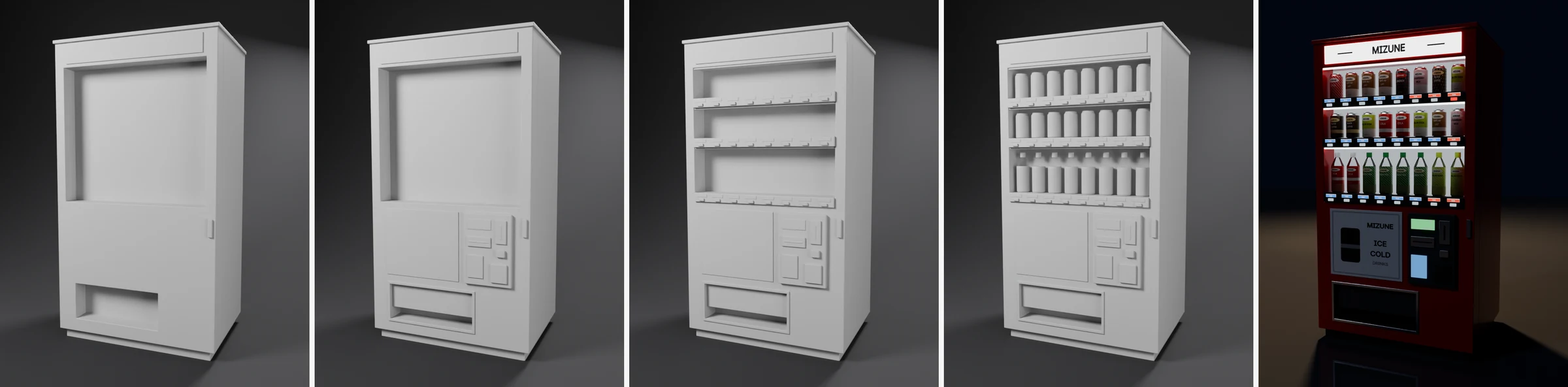
The colours are not in the materials. Every face carries its own in a face-corner attribute, jhk_color, above 1 for the lit parts. Five shared materials read it: Paint, Plastic, Metal, Glass and Emit. So you can generate as many machines as you like without multiplying materials.
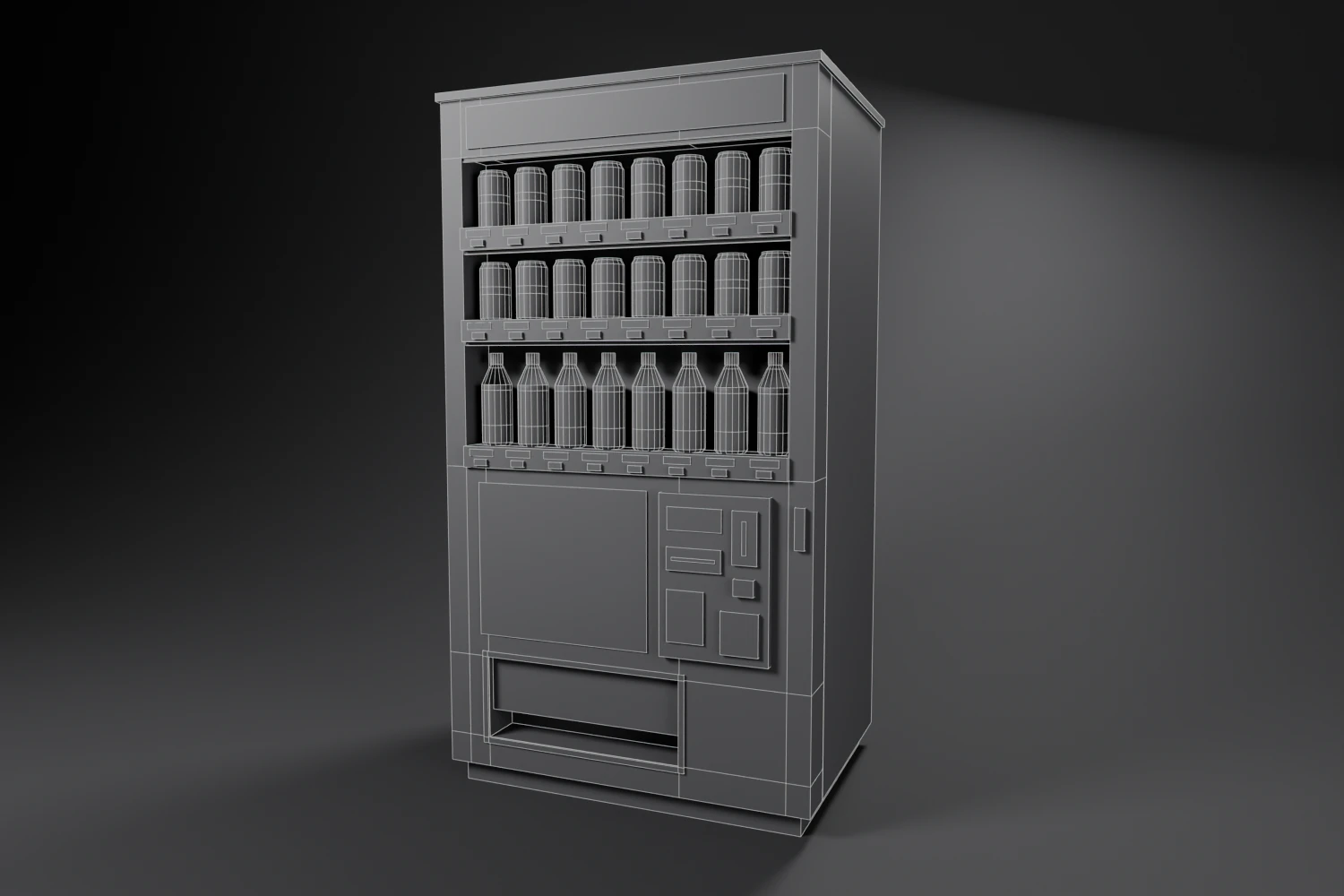
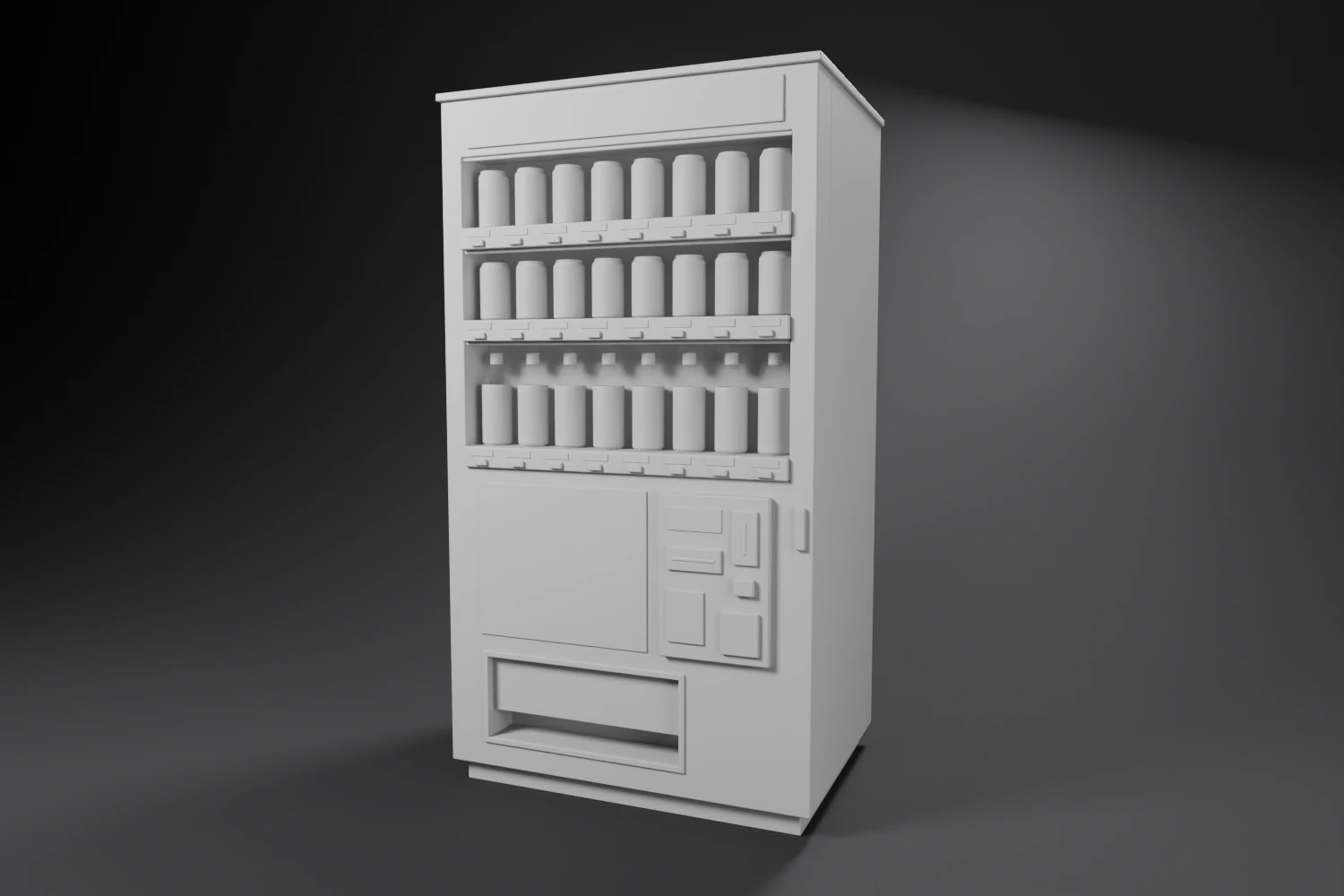
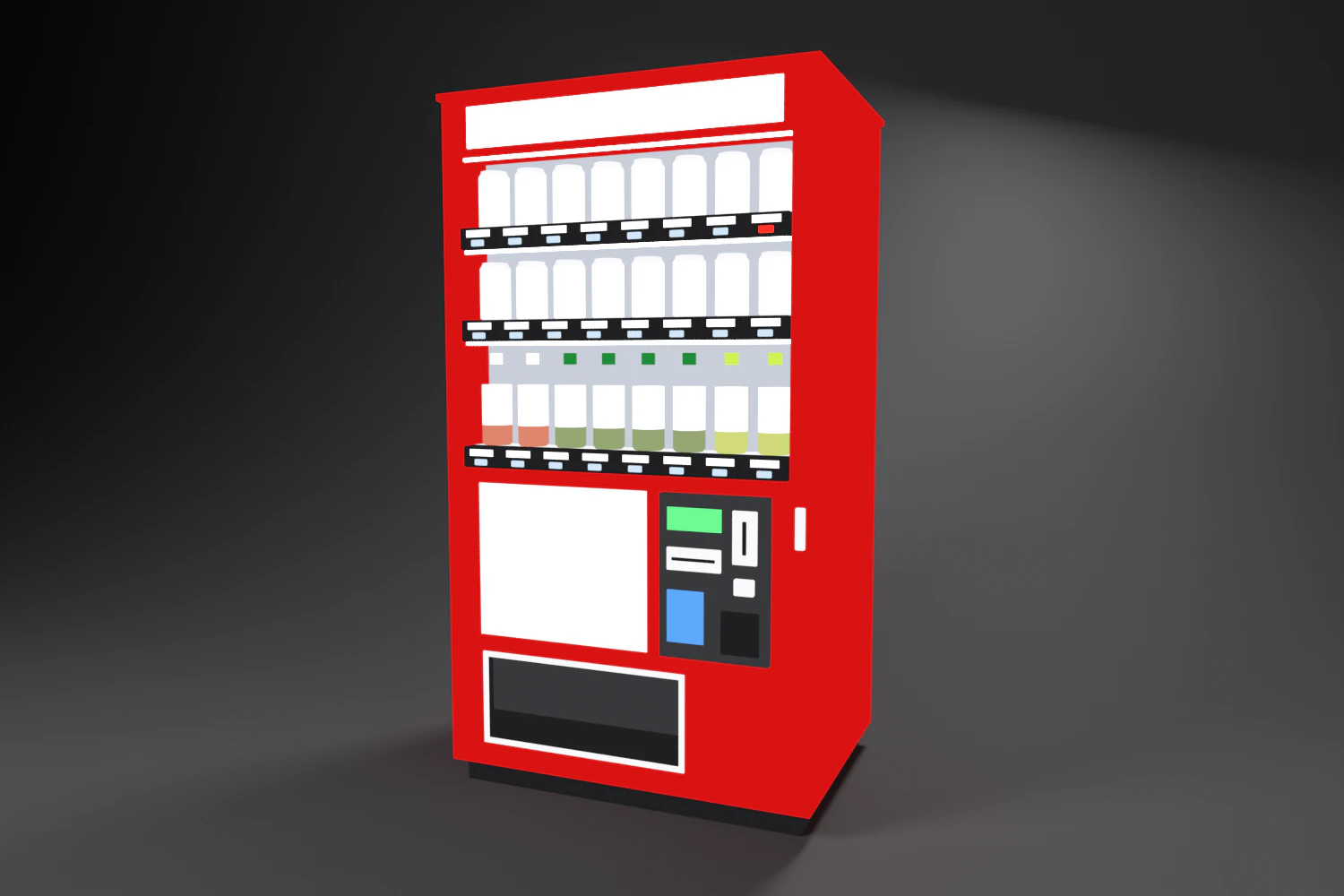
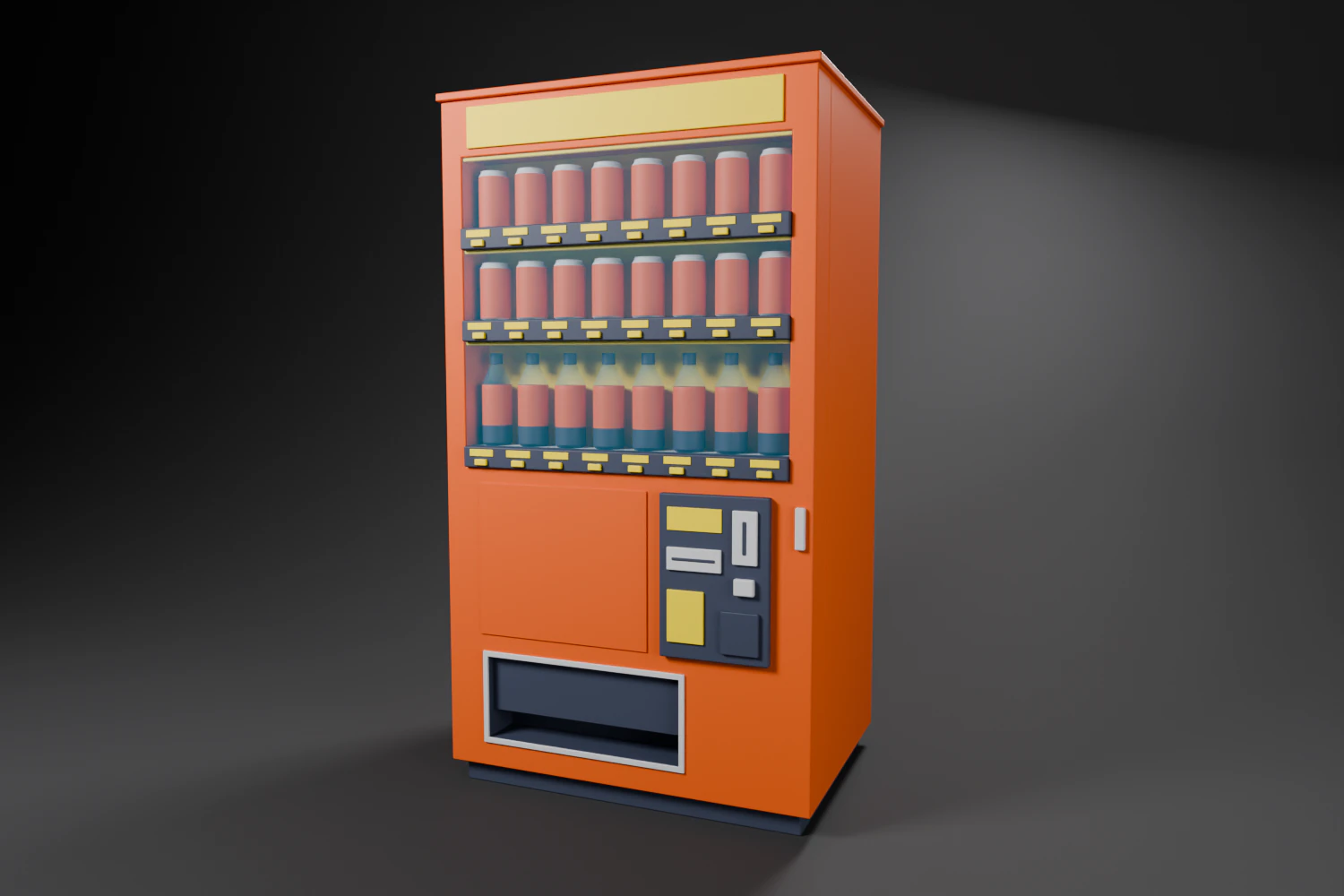
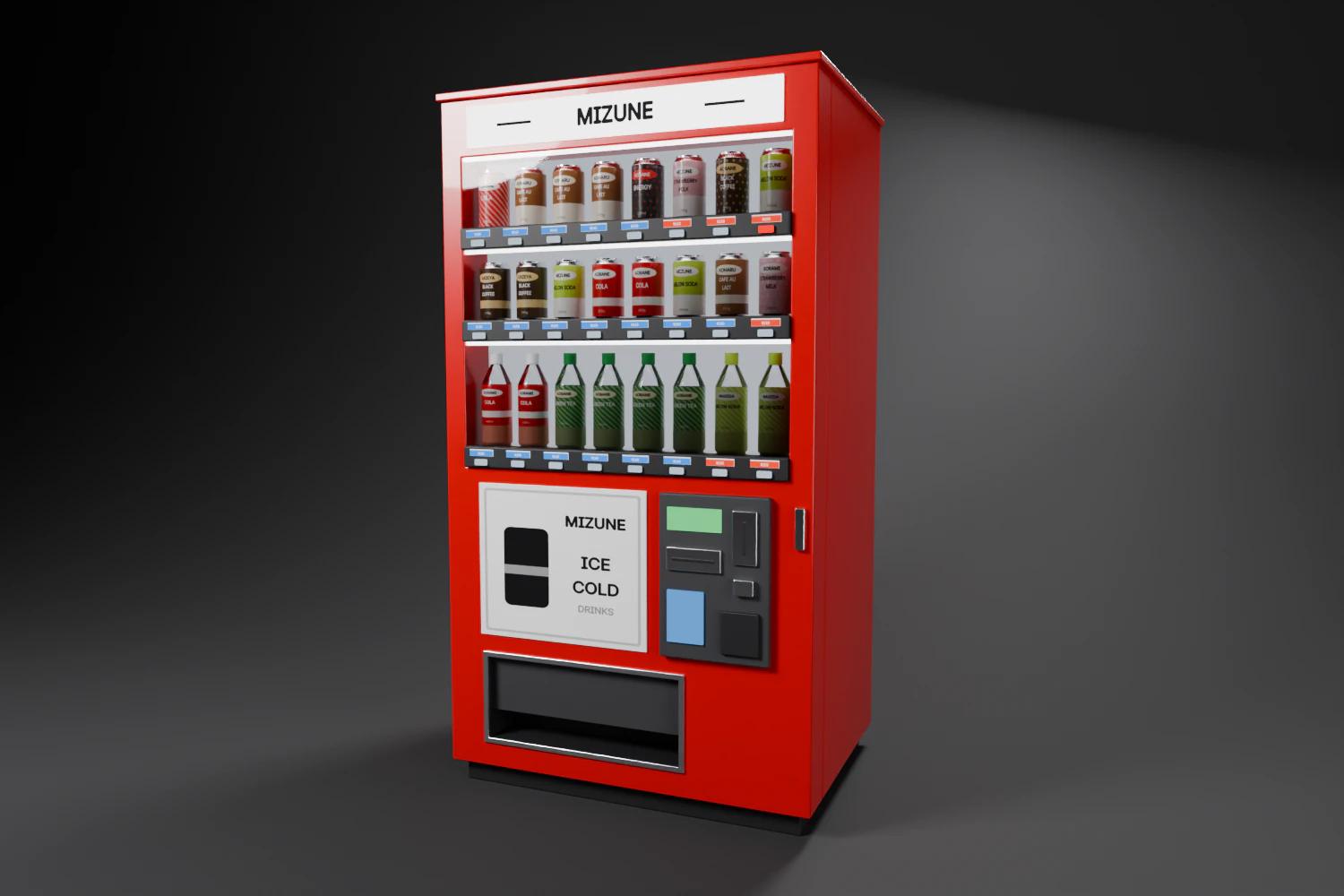
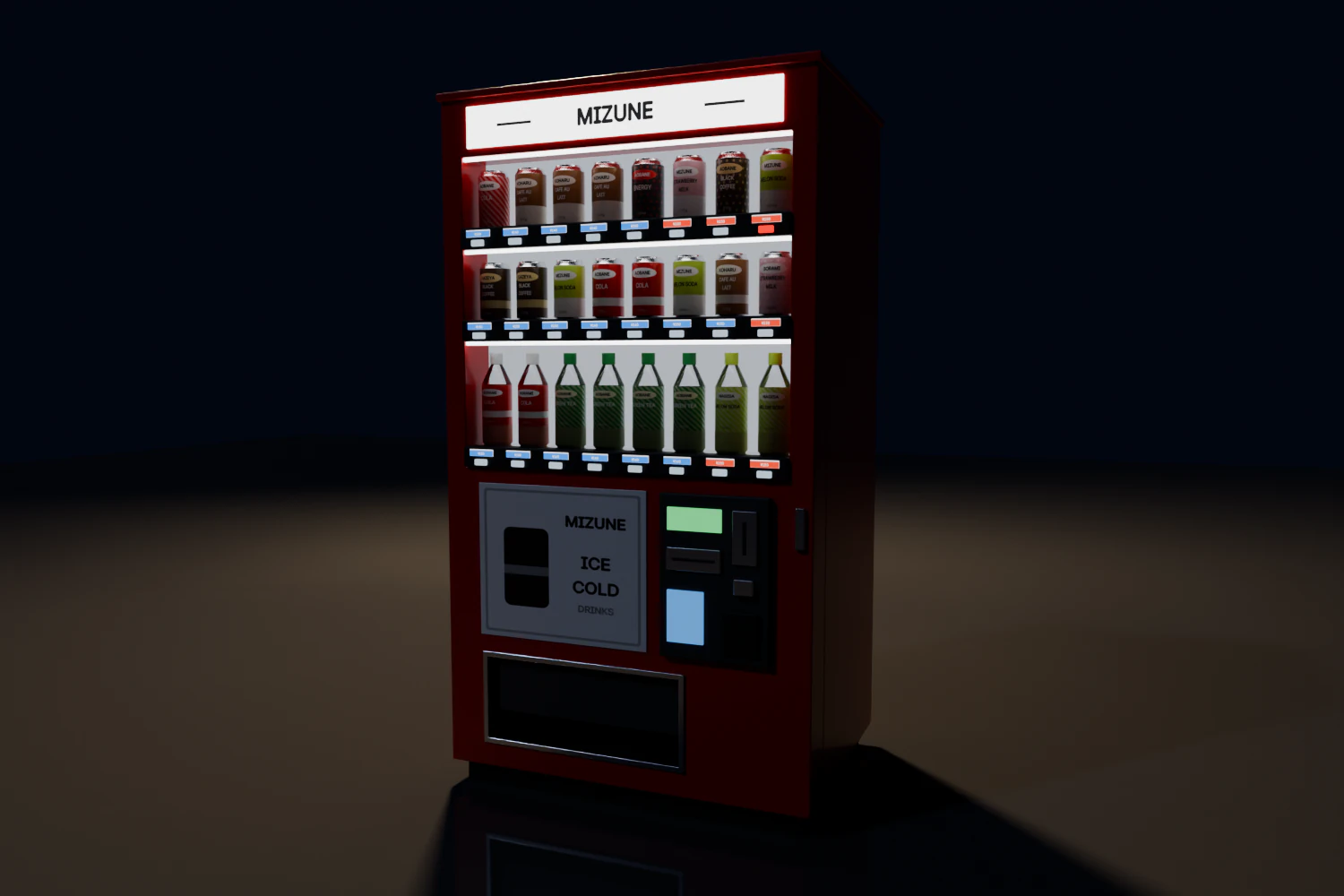
The topology, without bevels or glass: one single mesh.
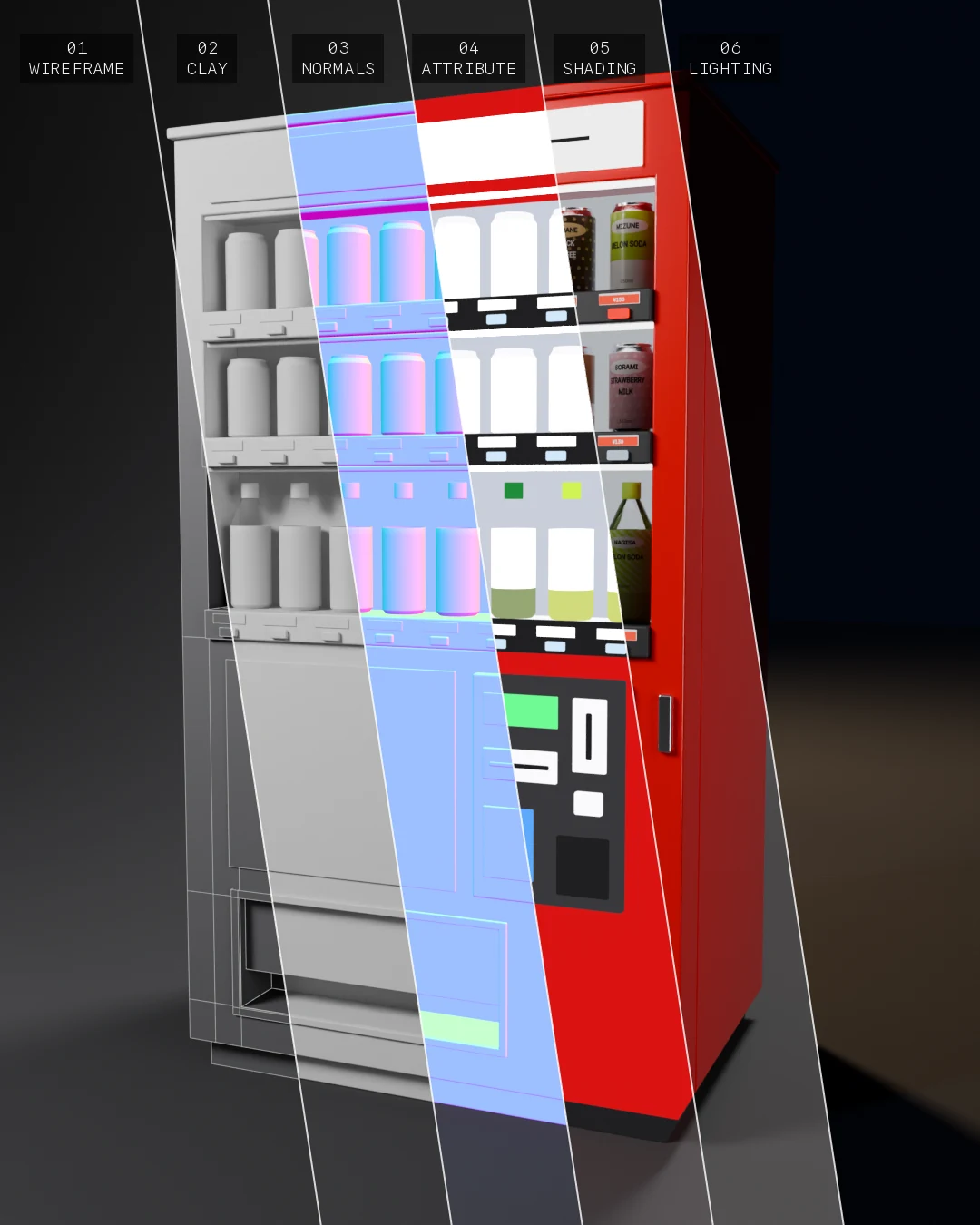
Fig. 02The same machine and the same camera, pass after pass.
- 1
- Mesh per machine, sign and cans included.
- 5
- Materials shared by every machine in the scene.
- < 100 ms
- To rebuild a machine after a change, bevels included.
The settings live on the object: size, rows, columns, bottle rows, cabinet and sign colour, share of hot drinks and of sold-out buttons. Every change rebuilds the machine. The seed draws new products, and “Randomize Style” a whole new style. Two buttons set up the render: Cycles on the best available GPU, and a night stage with wet ground, moon, street lamp and camera.
Log 02 / 06
Fifty steps 計画 · Keikaku
The goal: a machine you could mistake for a photo. The way there: fifty steps, in order.
The roadmap starts from a diagnosis of the close-up on the display window. Four things give the 3D away: sharp edges, labels that are flat colours, uniform light, and everything brand new and identical.
It lists fifty features in nine phases, each with its GitHub issue under the same number. The phases follow the dependencies: UVs unlock textures, textures unlock labels and stickers, and so on. A suggested path deals first with the four flaws of the diagnosis, from the best ratio of visual gain to effort to the worst.
- 01
Bevels · done
A small job with no dependency and an immediate effect: every edge catches a line of light.
- 02
Labels · in progress
The products take up half the front. It needs UVs, the texture generator and the Japanese font: the first two are done.
- 03
Light · to come
At night, the display window is the main light source. Hot spots and falloff instead of the flat emission.
- 04
Wear · to come
A new, clean machine looks like no real machine. An age slider, worn edges and grime rising from the ground.
| Phase | Items | For example | Status |
|---|---|---|---|
| Foundations | 1–6 | UVs, bevels, textures, Japanese font | 3 of 6 |
| Cabinet | 7–12 | door with seal and hinges, louvres, cable | — |
| Front | 13–18 | raised buttons, 7-segment displays | — |
| Products | 19–25 | detailed cans, 見本 dummies | — |
| Materials | 26–31 | orange peel, brushed steel, physical glass | — |
| Wear | 32–40 | rust, grime, torn stickers, flickering tube | — |
| Types | 41–43 | retro Showa, ice cream, fictional brands | — |
| Context | 44–48 | recycling bins, weather, “photo” camera | — |
| Pipeline | 49–50 | real-time export, test bench against photos | — |
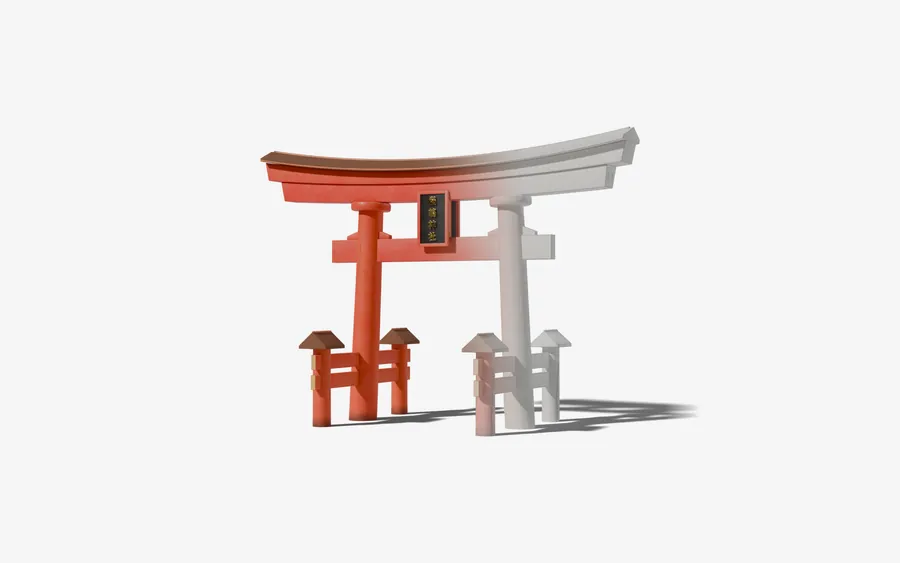
Before touching realism, I added images that show how the machine is built, with the Torii Generator method: the same shot rendered twice, the real materials on one side, on the other the dark clay with its edges drawn by Freestyle, blended across a band of 30% of the width. The glass is removed from the wireframe pass: Freestyle ignores transparency and would hide the products.
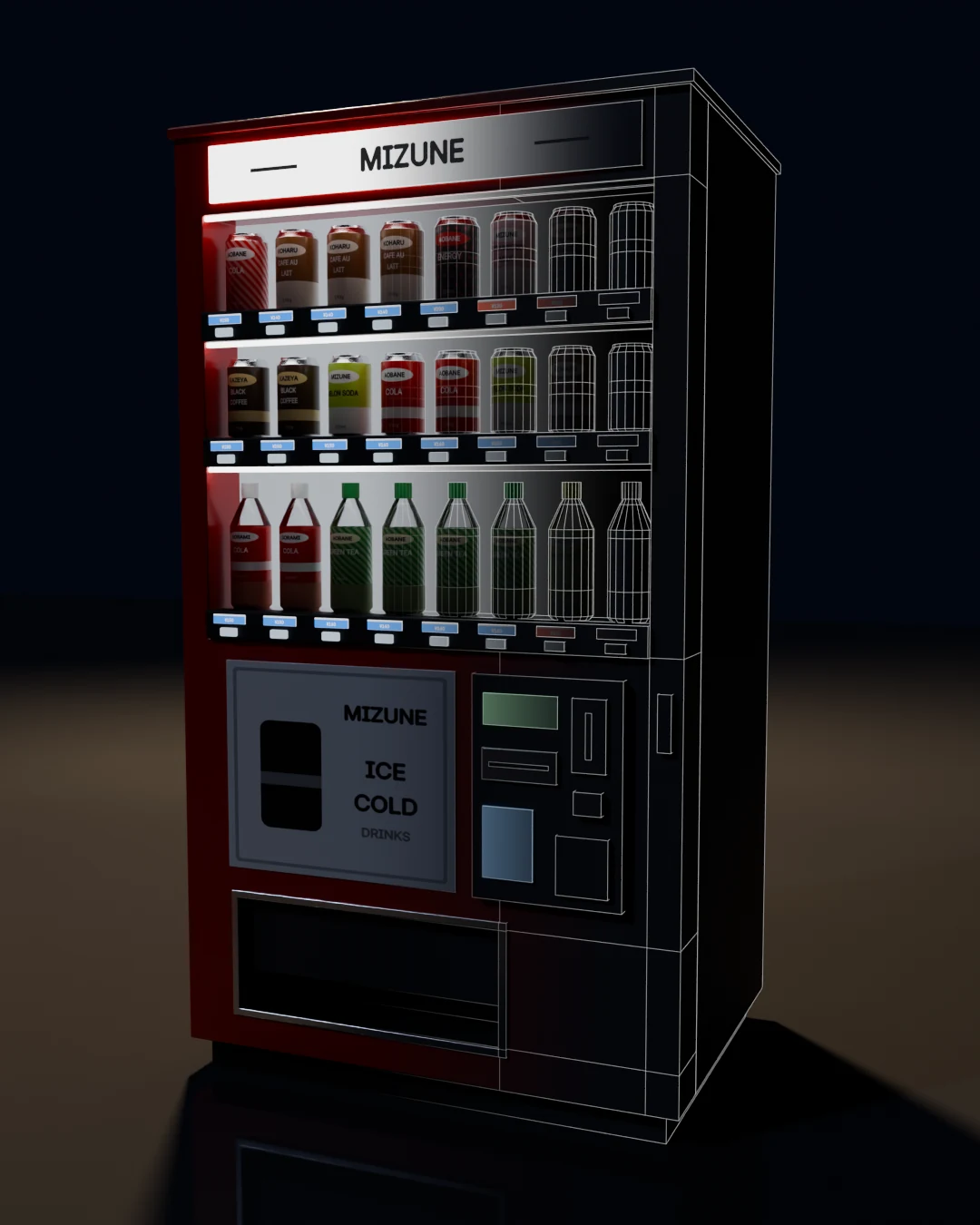
The VFX-style breakdown lines up six passes in bands: topology, clay, camera-space normals, the jhk_color attribute, materials in the studio, night lighting.
One script renders the passes in Blender, headless; a second one assembles them with the system Python, and calls ffmpeg for the README GIFs. The images on this page come from these scripts, or from renders made the same way with the add-on.
Log 03 / 06
Edges that show 面取り · Mentori
In the close-up, no edge caught the light: the cabinet looked laser-cut.
A surprise when opening the code: the machine already had a 3 mm, two-segment Bevel modifier. The question was why it didn’t show.
The measurement comes down to two numbers. At the roof corner, the vertex closest to the theoretical corner sits 0.87 mm away with “Clamp Overlap”, and 2.20 mm without: the modifier was only bevelling about 1.2 mm. That clamp doesn’t work part by part. Blender computes a single limit for the whole mesh, and on a vending machine the thinnest parts decide: 3 mm for a price tag, 2 mm for the rim under the bottle cap.
- 3 mm
- The bevel asked of the modifier.
- 1,2 mm
- The bevel obtained, cut down by the thinnest part.
- 1
- Single limit for the whole mesh.
The builder now writes each sharp edge’s radius into its bevel weight, and the modifier switches to weight mode, with a 1 cm width: a weight of 0.4 gives 4 mm. The clamp is off, and the builder guarantees that no bevel overflows. A part gets 4 mm, the radius of the sheet metal, or 30% of its smallest dimension if it is thinner. The modifier width becomes a global scale: doubling it doubles every radius.
| Part | Radius |
|---|---|
| Cabinet, roof, door, rails | 4 mm |
| Lock | 3.9 mm |
| Buttons, payment plates | 2.7 mm |
| Shelves | 1.8 mm |
| Price tags | 0.9 mm |
| Can and bottle rims | 0.6 mm × scale |
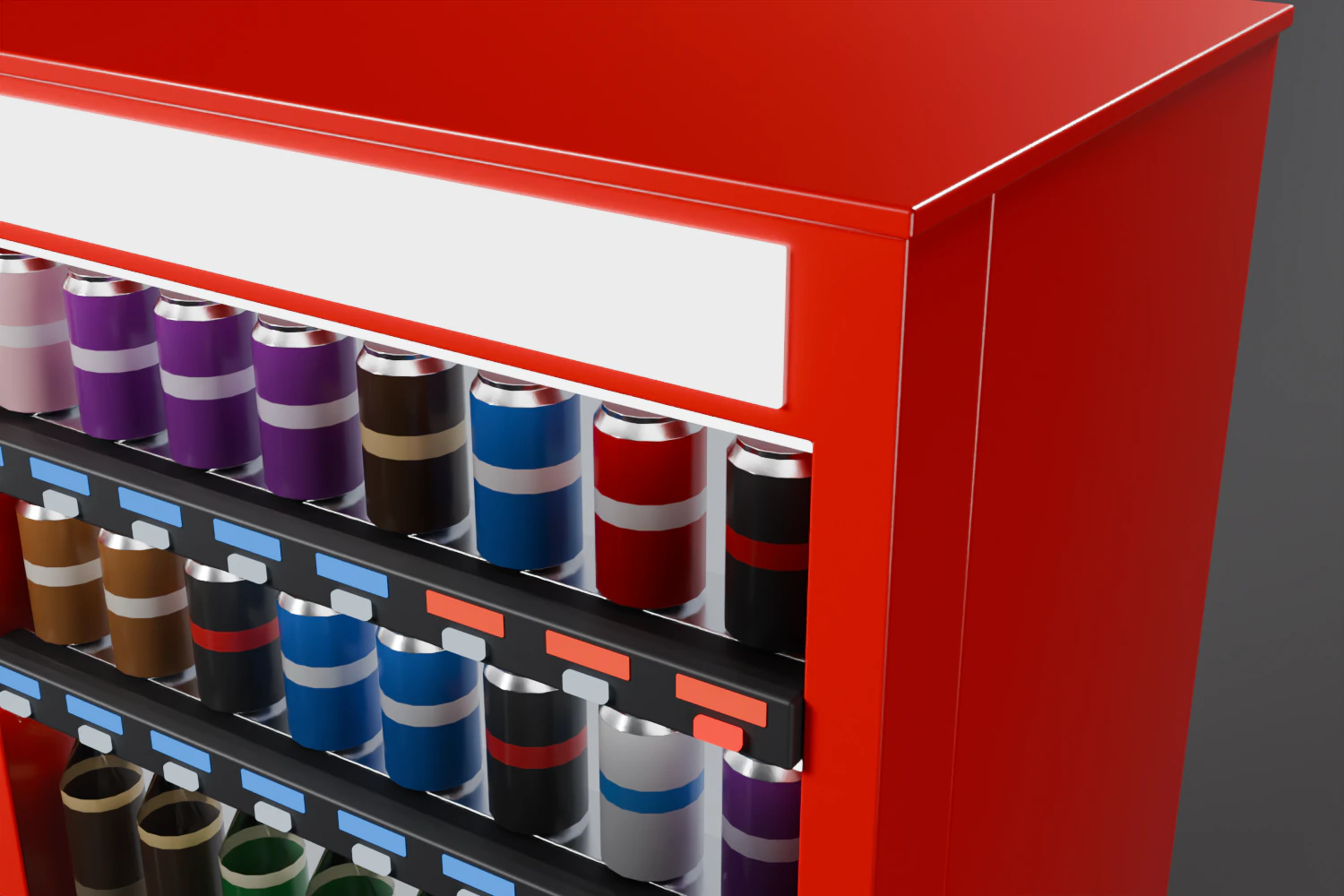
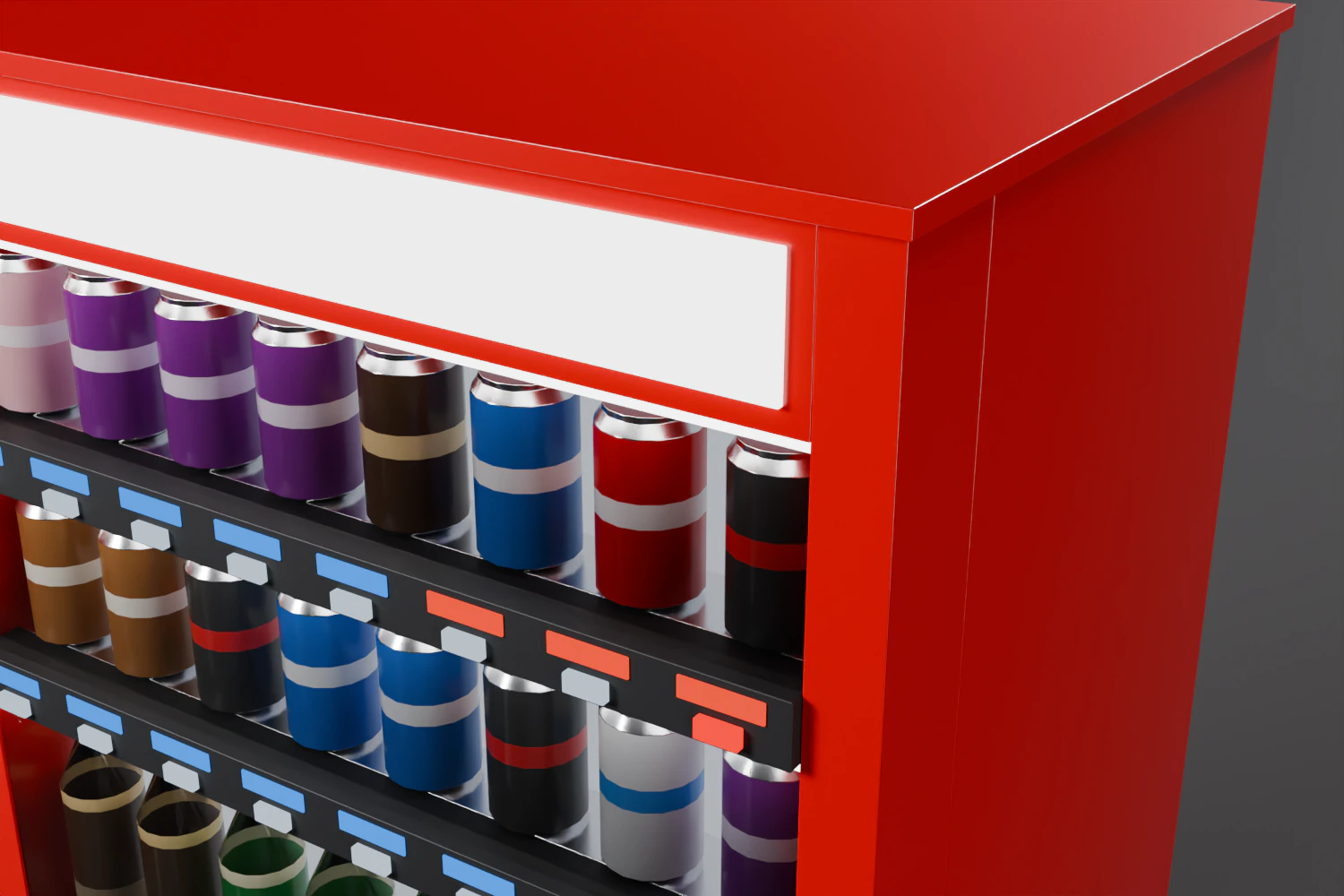 v0.1.1v0.2.0
A real bevel creates a new problem. The door was made of boxes side by side: two stiles, a lintel, four boxes around the hatch. With 4 mm on each side, every joint becomes an 8 mm groove, where the real door is all one piece.
A new primitive builds a pierced plate as one closed mesh. It cuts the plate into a grid from the coordinates of its outline and its holes. Every solid cell gets a front face and a back face, plus a wall on each side that borders a hole or the outside. The grid edges between two coplanar faces have a zero angle: no bevel, no shading line. That is the grid you can see in the wireframe half of the opening image.
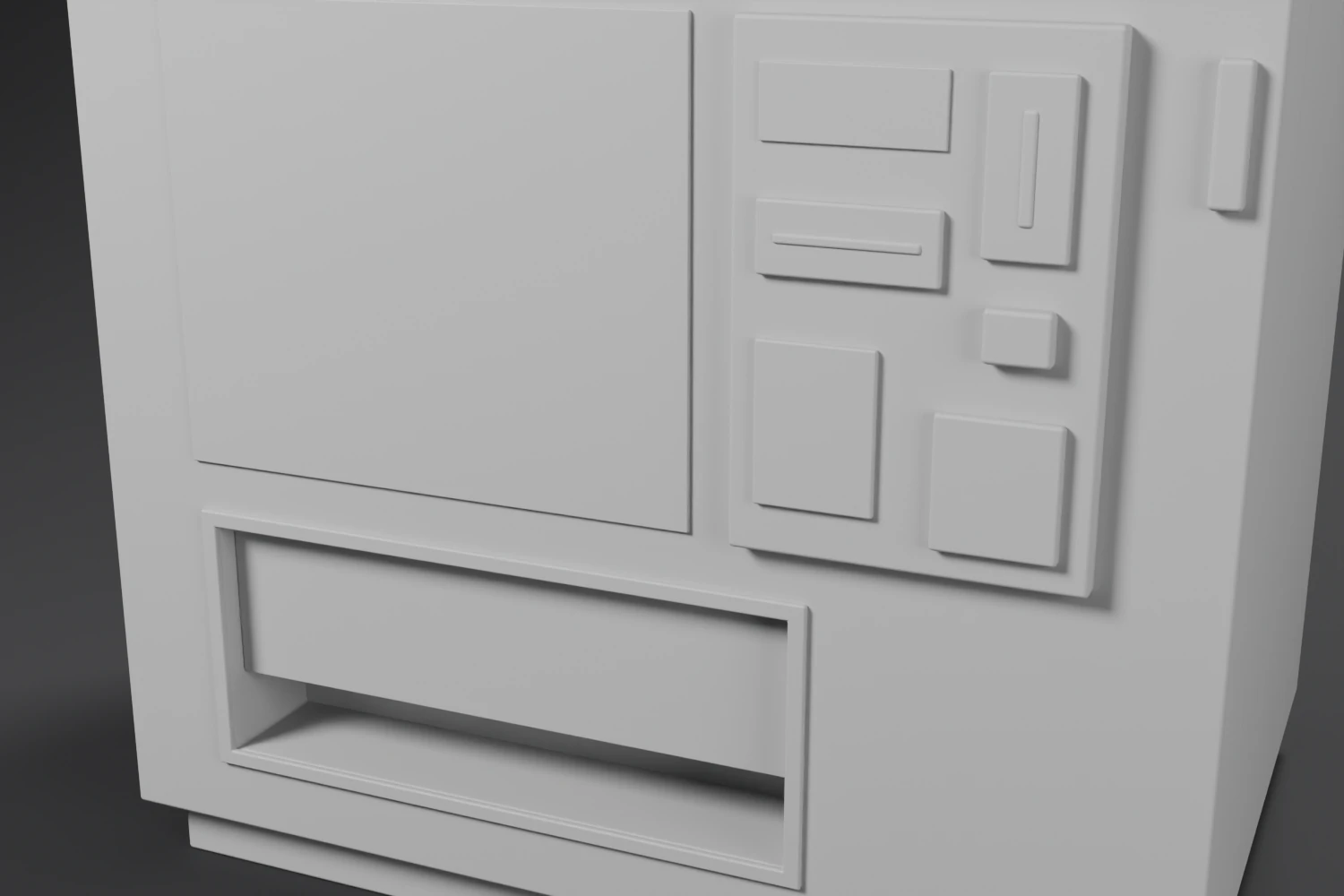
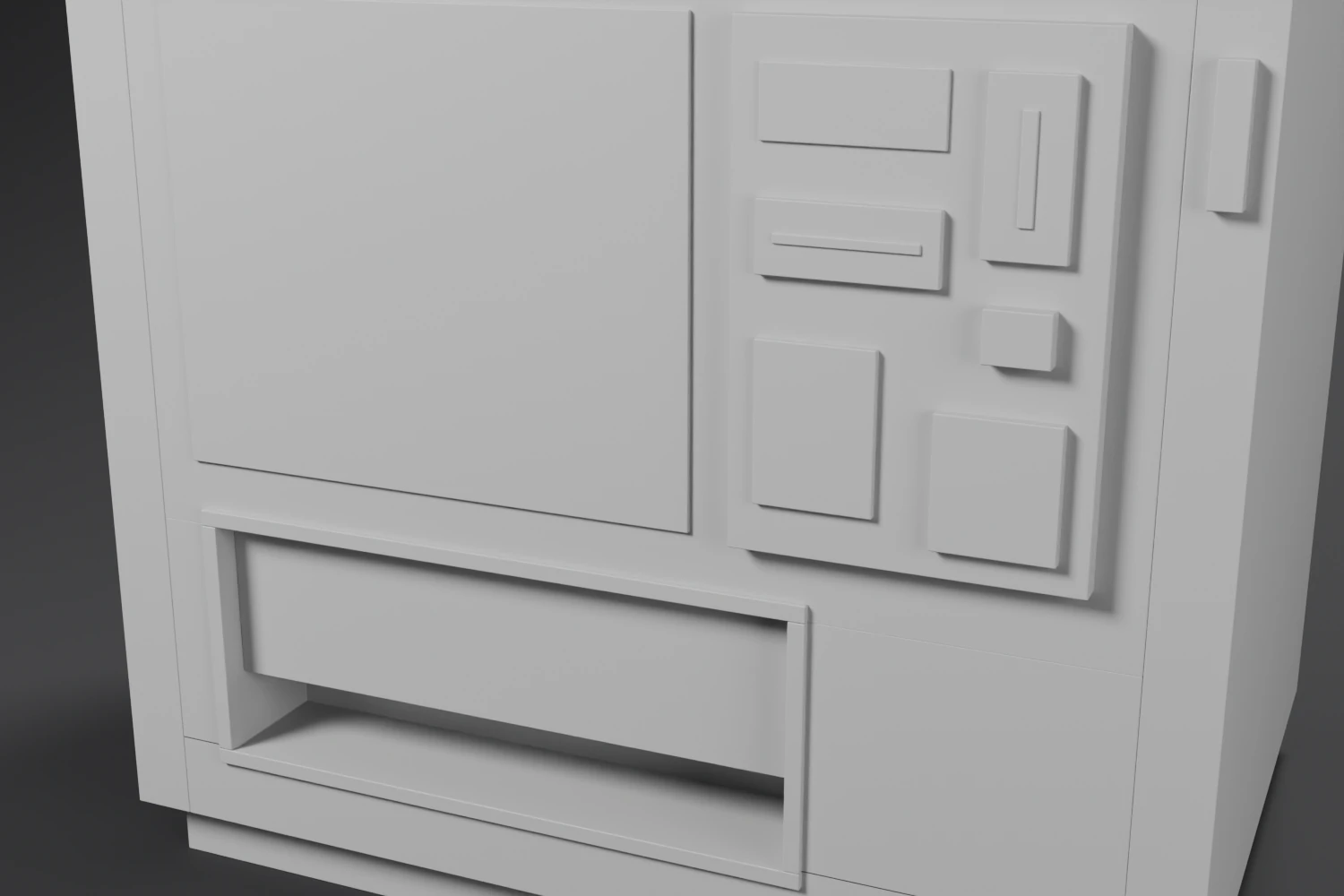 v0.1.1v0.2.0
While checking the weights, the counter showed zero bevelled edges. A face created with bm.faces.new() has a null normal until it is computed, and edge angles are read from that normal: every angle was 0. Since v0.1, the same bug had hit the function that marks sharp edges. The modifier’s hardened normals hid it in the render; the wireframe pass, which turns the modifier off, showed it.
f = self.bm.faces.new(verts)
f.normal_update() # new faces have a null normal, and edge angles read it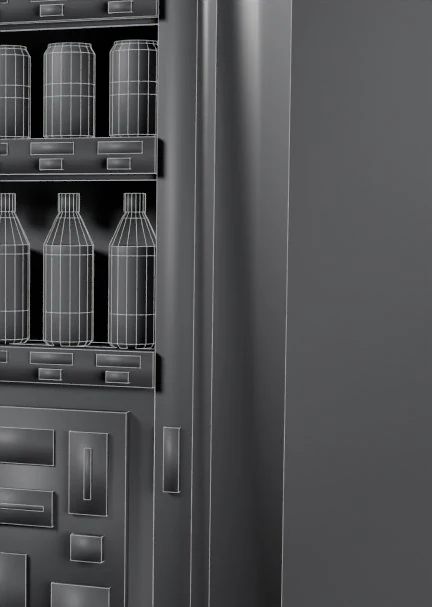 Fig. 09 · v0.1.1
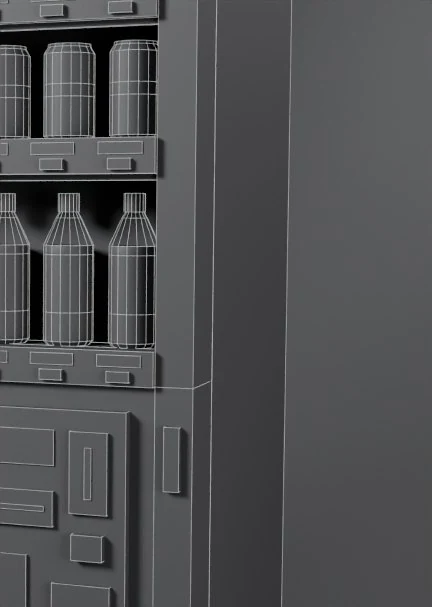 Fig. 10 · v0.2.0
The wireframe pass, under the same conditions. In v0.1.1, no edge was marked sharp: the door stiles were shaded like tubes.
Log 04 / 06
UVs for textures 展開 · Tenkai
The mesh had no UVs. No textures, no decals, no wear masks: almost the whole roadmap depends on them.
The UVs are born with each face, like its colour, on two layers. The first is metric: one unit is one metre, on every part. A rust or grime texture will have the same density on the cabinet and on a button. Boxes are projected along their normal, seen from outside so that no texture is mirrored.
The second goes from 0 to 1, only on the parts that will carry a visual: the product labels, the price tags, the advertising panel and the sign. A face attribute says which one.
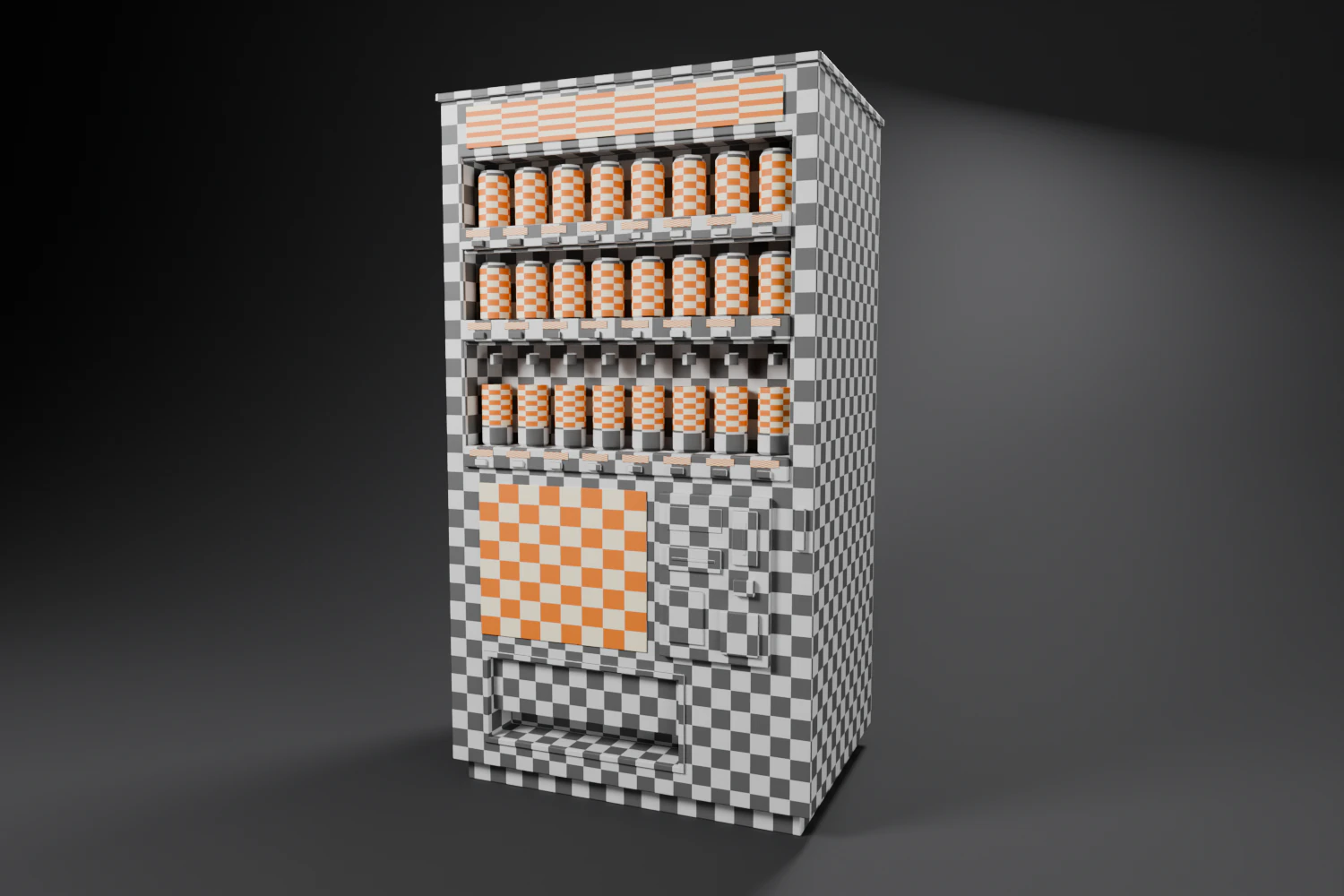
The products are unrolled: u goes around, in metres, v follows the profile rather than the height, so it doesn’t stretch over the bottle shoulders. The seam runs at the back, facing the rear of the display, and the front of the label lands in the middle.
“No stretching” is checked edge by edge: each edge’s length in UV space, divided by its length in 3D, must equal 1.
| Surfaces | UV / 3D ratio |
|---|---|
| Boxes, plates, cylinders | 1.000 |
| Cones, within 45° of the front | up to 1.18 |
| Flat ring under the cap, towards the front | 1.27 |
| Cones and ring, towards the seam | up to 3.3 |
The cones shear: the two rings of a band don’t have the same radius, so not the same u for the same angle. The offset grows with the angle, hence a u that starts from the front, where you look at the products. Avoiding it entirely would take a seam at every ring; condensation or dust will hide a slight skew better than a seam.
ratio = √(1 + (angle × Δr / L)²)
// L: length of the band, Δr: difference between its two radii
// worst case: the flat ring, Δr = LLog 05 / 06
The texture generator 印刷 · Insatsu
The labels, prices, poster and sign were flat colours. They now get images, drawn for each seed.
First I needed a method that works headless, since every documentation image is rendered that way. I tested five leads in Blender 4.2 and 4.5; here are the four main ones.
| Method | 4.2 headless | 4.5 headless | Verdict |
|---|---|---|---|
| blf in a GPUOffScreen | no | no | no GPU drawing without a UI |
| blf in an ImBuf | doesn’t exist | yes | no pixel access: one file per text |
| Rendering text objects | yes | yes | one render per atlas, too slow |
| Glyph outlines, filled in numpy | yes | yes | chosen |
The chosen method leaves Blender’s font engine to do what it does well, read the font and give the shape of the letters, and does the rest in numpy. A text object, which doesn’t even need to be in the scene, is converted to curves, sampled at 8 points per segment. The fill walks the image row by row: each outline it crosses adds +1 or −1 depending on its direction, and a cumulative sum gives, for each pixel, how many times the outlines wind around it. 4 × 4 samples per pixel smooth the edges. Everything stays in memory, with no GPU and no temporary file.
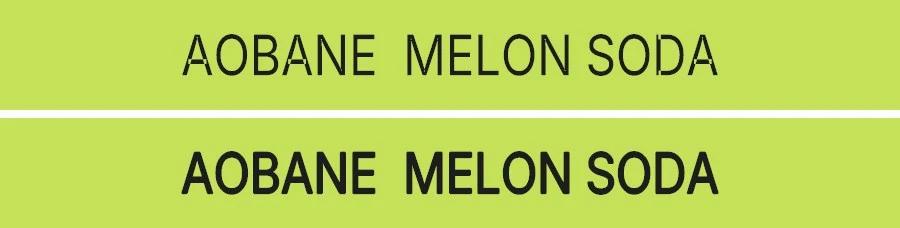
The first atlas wrote “ΛOBΛNE”: A’s without a crossbar, and small marks hanging off the N’s and A’s. Inter is a variable font whose letters are made of overlapping strokes: the crossbar of the A covers its legs. Filled with the even-odd rule (top), every area covered twice became a hole.
The non-zero rule (bottom) fixes it, provided you know the direction of each outline. That is why the outlines come from Blender’s curves, which keep it, rather than from its mesh.
A trap was waiting for the Japanese font. Blender ships Noto Sans CJK as woff2, 11 MB compressed, and every new character costs about 100 ms, as if the whole font were decompressed for each glyph. An uncompressed font outputs a whole string in 2 to 4 ms. So this step writes in Inter, Blender’s Latin font; Japanese will come with an uncompressed subset of Noto Sans JP.
- 100 ms
- Per new Japanese character, in Blender’s woff2 font.
- 5 ms
- Per new Latin character, in Inter, then cached.
- 2–4 ms
- For a whole string, in an uncompressed font.
The materials are shared by every machine: one atlas per machine would have forced each of them to have its own. So the catalogue seed, a scene property, decides a shared catalogue: 48 products drawn from 12 drinks, with their brand, pattern, volume and price. The brands are eight invented names. Each machine picks from that catalogue with its own seed.
| Atlas | Tiles | Tile | Content |
|---|---|---|---|
| Labels | 48 | 512 × 256 | centre facing the window, patterns matching at the seam |
| Prices | 22 | 256 × 64 | ¥100 to ¥200, in blue (cold) and red (hot) |
| Posters | 8 | 512 × 512 | one per brand |
| Signs | 8 | 1024 × 128 | one per brand |
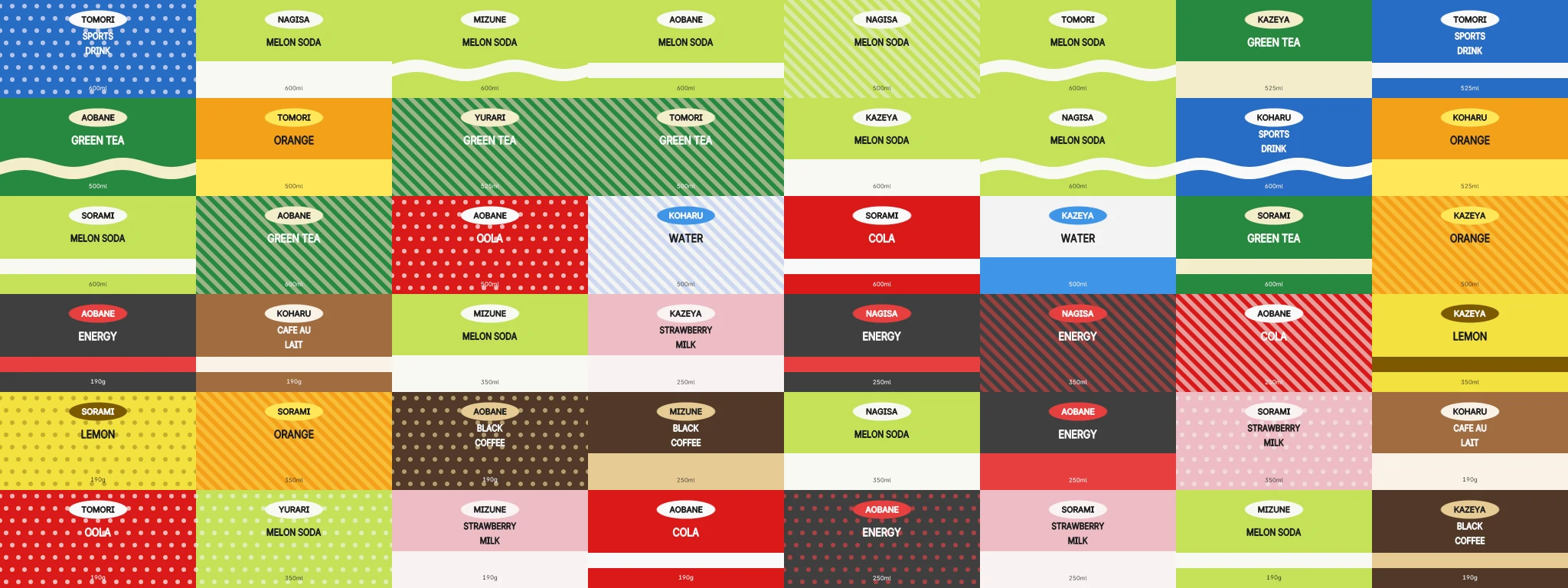
Every face that carries a visual stores its tile. In the materials, a shared node group derives the column and row from it, places the 0–1 UVs inside the tile with a pixel and a half of margin, reads the right atlas and multiplies the face colour. Labels get pure white, which lets the image through as is; posters and signs are drawn in grey, and the machine’s accent colour tints them.
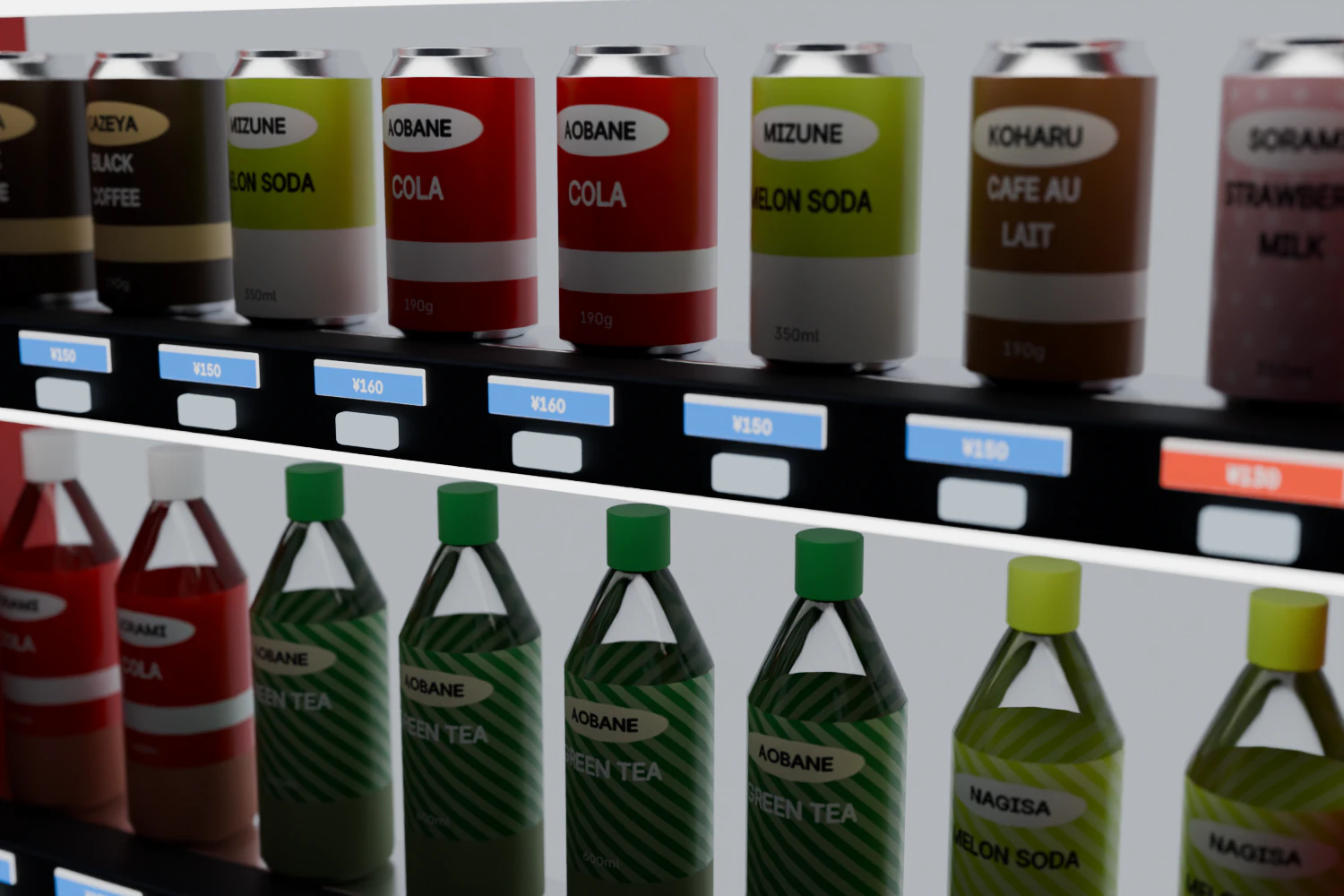
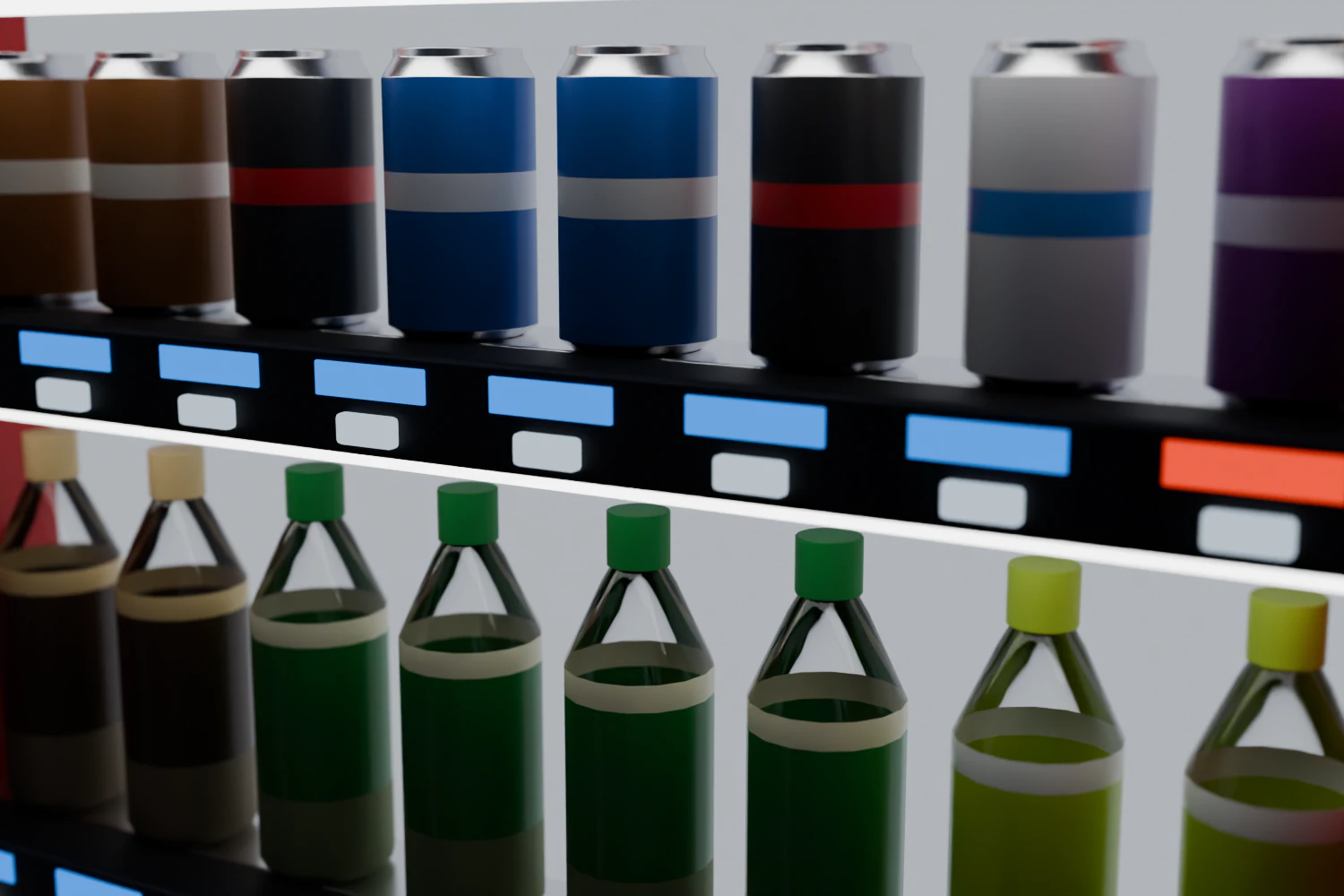 v0.3.0v0.4.0
- 2 Mo
- The .blend with its four packed atlases.
- 0
- Pixels of difference, reopened in a Blender without the add-on.
- 2 s
- To switch catalogue across the whole scene.
Log 06 / 06
What’s next 続き · Tsuzuki
Three items out of fifty. The labels are halfway there.
The next step is the Japanese font and the text generator: katakana names, prices, the words you read on every can (500ml, 無糖, 新発売). Then come the labels themselves, with brand, name, illustration, barcode and volume. After them, the light, then age.
- 01
#5 Japanese font
An uncompressed subset of Noto Sans JP, and texts drawn by seed.
- 02
#22 Labels
Brand, name, illustration (tea, coffee bean, fruit), barcode, volume.
- 03
#30 Light
Diffuser with hot spots, LEDs visible up close, colour temperature, physical units.
- 04
#32 Age
A slider, from brand new to abandoned Showa, that will drive edge wear, grime and rust.
Beyond that, what comes next depends on the use: the front for close-ups (raised buttons, 7-segment displays, flap hatch), the context for wide shots (recycling bins, rows of machines under an awning, rain on the window), and a real-time export for Unity or Unreal. The last item is a test bench: a lookdev scene next to real photos, to measure realism instead of guessing it.
- Project
- Personal, in progress
- Compatibility
- Blender 4.2+ · Cycles · EEVEE
- Version
- 0.4.0, 30 October 2026
- License
- Proprietary: no resale or modification
- Python
- bmesh
- numpy
- Shader nodes
- Freestyle
- Headless rendering